2017年9月4日 上午8:25
首先我先梳理一下思路,然后再中间遇到的问题,逐一说明我的解决方法。
思路:
核心操作:
mysql -h [IP] -u [user] -p
mysql> source _Users_czh_Downloads_*.sql ;
scp _path_filename username@servername:/path
1:连接数据库,将本地的sql表导入
**1.1:**ERROR 1130: Host '192.168.1.3' is not allowed to connect to this MySQL server
         方法:http://blog.csdn.net/july_2/article/details/41896295
         注意:这里面要注意人家写的用户名 和 密码  这是自己的,千万不要像我一样直接抄,不然报错eg:1.3
**1.2:**ERROR 1819 (HY000): Your password does not satisfy the current policy requirements
       原因:在安装完msyql之后,的初始化配置文件中,我把validate_password_policy =1,所以当给新的用户注册密码时,简单密码是通不过的。
        方法:http://www.cnblogs.com/ivictor/p/5142809.html
**1.3:**ERROR 1045 (28000): Access denied for user 'root'@'localhost' (using password: YES)
        原因:就是密码输错的,笨蛋!就知道抄,不去理解人家的意思!看图一
        方法:http://www.cnblogs.com/kerrycode/p/4368312.html
**1.4:**  Permission denied, please try again(publickey,password)
        原因:由于您没有将公钥( publickey )  添加到本地 ssh 环境造成的,或者是由于多日未 进行ssh 登录操作,本地 publickey 失效造成的
       方法:http://www.mr-wu.cn/ssh-permission-denied-publickey/
                   http://blog.csdn.net/weixin_36397141/article/details/54618867
                   https://zhidao.baidu.com/question/188203613.html
       以上三步我都做了。第一步是重点!
       补充:http://www.cnblogs.com/jiangyao/archive/2011/01/26/1945570.html  scp的操作
2:在/var/www/html中导入项目
  导入运行,发现很多错。
  **2.1:**STORAGE_WRITE_ERROR_:._Runtime_Cache_Home_
       原因:正如提示的 存储写错误 ,一般都是权限不够
       解决:给那个Application所有权限就可以了,http://www.thinkphp.cn/topic/22933.html
 **2.2:**Call to undefined function: simplexml_load_string() in cron file
        原因:本项目需要 php7.0-xml模块,而我安装php7.0的时候没安装
        解决:sudo apt-get install php7.0-xml  ,https://stackoverflow.com/questions/31206186/call-to-undefined-function-simplexml-load-string-in-cron-file/36407094
 **2.3:**关于 ThinkPHP 在 Nginx 服务器上 使用U方法跳转问题
        原因:不知道,在Mac window上没问题
        解决:define('_PHP_FILE_',$_SERVER['SCRIPT_NAME']);
            在php入口文件中增加:http://www.cnblogs.com/chy1993/p/6590320.html
                   修改nginx配置文件:http://blog.csdn.net/df981011512/article/details/53128573
                   我仅仅修改入口文件就好了!
 **2.4:**关于图片显示不出来
        原因:一些界面资源我都放在Public中,但是由于nginx严格区分大小写,并且我html中link资源的时写的是public/....所以找不到路径。
        解决:更改文件夹名
        补充:重命名命令http://www.linuxidc.com/Linux/2015-01/111116.htm
**2.5:** thinkphp 在ngin中的配置文件
        原因:我用了很多网上查了很多,但是都报错,自己就综合写了一个
        解决:附件1
总结:
1.ubuntu对大小写,权限要求很严格,一定要习惯
2.要学会linux中的排错,尤其是根据日志 我也不会!
3.服务器中的东西虽然没具体的学过,但是我突然发现,那个nginx的配置文件读起来就和写代码感觉一样!
4.百度也要会百度,要提取出问题的关键词
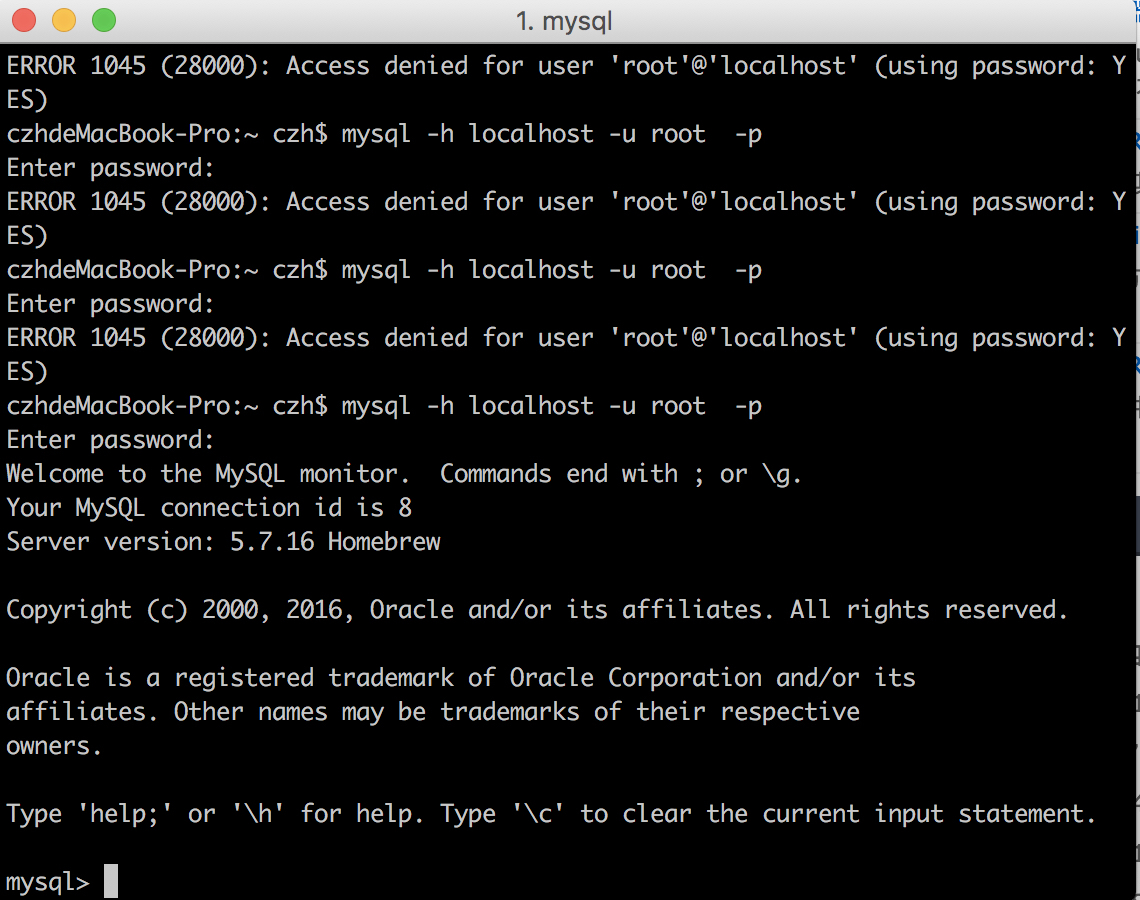
图1
附件一:
1 |
|