2017年9月4日 上午8:08
ORACLE MYSQL 对比
- 分页
- ORACLE的rownum
- MYSQL的limit
- group by
- ORACLE会丢失没有声明字段
- MYSQL不会丢失
- select 临时表
- ORACLE需要使用dual临时表
- MYSQL不需要使用临时表就可以直接操作select语句
- 时间类函数
- MYSQL的时间操作函数更加方便
- 这可以作为选数据库的依据
- 事务提交
- ORACLE需要手动提交
- MYSQL如果想自己手动提交需要些start transaction
- 主键
- ORACLE主键不自增,需要使用sequence对象来是实现
- MYSQL声明为primary key时,自动递增
JDBC: java database connection
- jdbc是一门使用java后台完成数据库访问的技术。
- 使用jdbc操作数据库需要做以下准备:
- 准备工作:
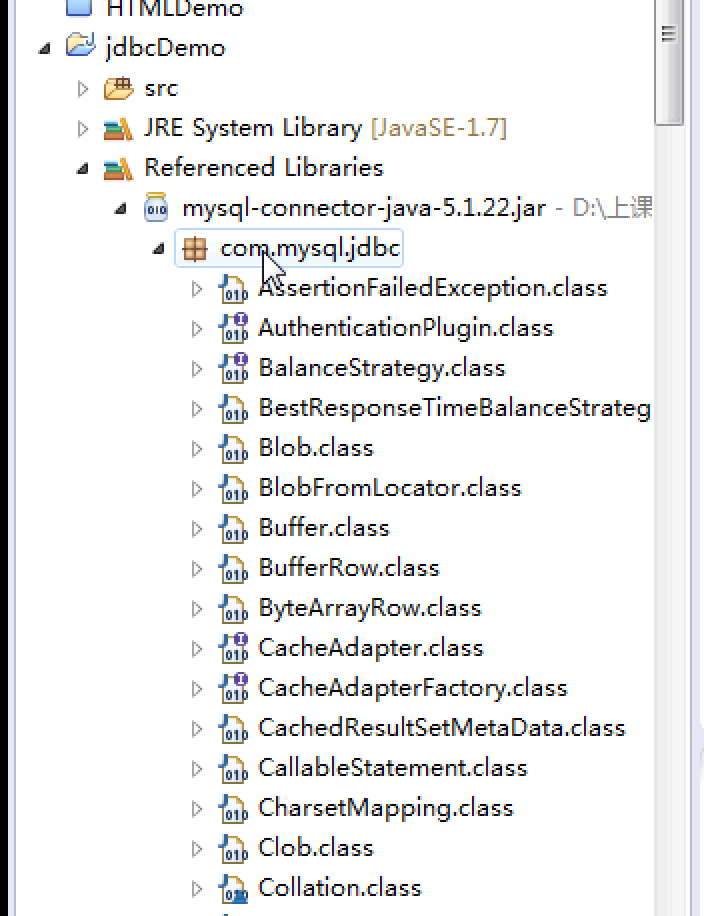
- mysql: mysql-connector-java-5.1.22.jar
- oracle: jdbc_lib_ojdbc6.jar
- Oralce的架包,自己安装包中就有,路径如图1
- Mysql去网上找吧
- 加载驱动类
- 获取数据库连接对象connection
- 通过connection 获取操作数据库的对象 statement
- 使用statement对象操作数据库完成相应的业务
- 处理结果集
- 关闭资源,释放空间。
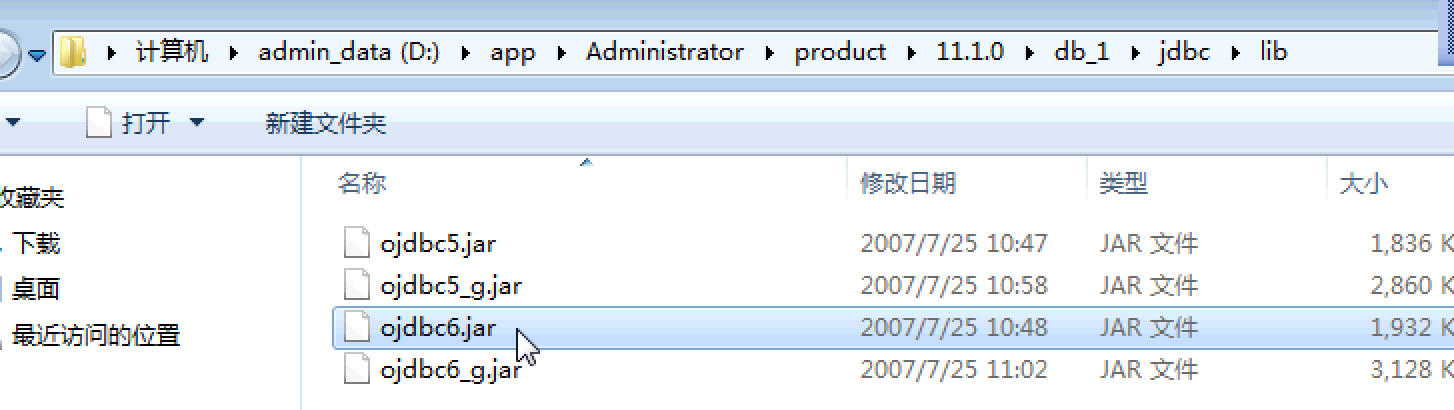
图1
statement
MYSQL statement 例子
例子:通过JDBC进行简单的增删改查(以MySQL为例) - 五岳 - 博客园
注:这里例子里面用的是pstmt = (PreparedStatement) conn.prepareStatement(sql);,代替了Statement sta = conn.createStatement();。也就是能够使用预编译来传参。
1
2
3
4
5
6
7
8
9
10
11
12
13
14
15
16
17
18
19
20
21
22
23
24
25
26
27
28
29
30
31
|
public class JdbcDemo1 {
public static void main(String[] args) {
try {
Class.forName("com.mysql.jdbc.Driver");
Connection conn = DriverManager.getConnection("jdbc:mysql://localhost:3306/wordpress","root", "");
Statement sta = conn.createStatement();
ResultSet rs = sta.executeQuery("select * from wp_users");
while(rs.next()){
System.out.println(rs.getString("user_login")+"---"+rs.getString("user_pass"));
}
if(conn!=null){
conn.close();
}
}catch (ClassNotFoundException e) {
e.printStackTrace();
}catch (SQLException e) {
e.printStackTrace();
}
}
}
|
ORACLE statement 例子
注意:jdbc:oracle:thin:@192.168.42.43:1521:orcl 要写当前具体ip,不能写localhost,127.0.0.1 不知道为啥
1
2
3
4
5
6
7
8
9
10
11
12
13
14
15
16
17
18
19
20
21
22
23
24
25
26
27
28
29
30
31
32
33
34
35
36
37
38
39
| package com.shanxi.weixin;
import java.sql.Connection;
import java.sql.DriverManager;
import java.sql.ResultSet;
import java.sql.SQLException;
import java.sql.Statement;
public class JDBCDemo2 {
public static void main(String[] args) {
try {
Class.forName("oracle.jdbc.driver.OracleDriver");
Connection conn = DriverManager.getConnection("jdbc:oracle:thin:@192.168.42.43:1521:orcl","gao", "gao");
Statement sta = conn.createStatement();
int a =sta.executeUpdate("delete from stu where s_id = 20");
int b =sta.executeUpdate("insert into stu(s_id,s_name) values(9,'aaa')");
System.out.println(a + b);
if(conn!=null){
conn.close();
}
}catch (ClassNotFoundException e) {
e.printStackTrace();
}catch (SQLException e) {
e.printStackTrace();
}
}
}
|
JDBC预编译 preparstatement
增删改
1
2
3
4
5
6
7
8
9
10
11
12
13
14
15
16
17
18
19
20
21
22
23
24
25
26
27
28
29
30
31
32
33
34
| package com.shanxi.weixin;
import java.sql.Connection;
import java.sql.DriverManager;
import java.sql.PreparedStatement;
import java.sql.ResultSet;
import java.sql.SQLException;
import java.sql.Statement;
public class JDBCDemo4 {
public static void main(String[] args) {
try {
Class.forName("com.mysql.jdbc.Driver");
Connection conn = DriverManager.getConnection("jdbc:mysql://localhost:3306/test4?useUnicode=true&characterEncoding=utf8","root", "root");
String sql = "insert into people(name,age,sex) values(?,?,?)";
PreparedStatement ps = conn.prepareStatement(sql);
ps.setString(1, "mike");
ps.setString(3, "boy");
ps.setInt(2, 20);
int a = ps.executeUpdate();
System.out.println(a);
if(conn!=null){
conn.close();
}
}catch (ClassNotFoundException e) {
e.printStackTrace();
}catch (SQLException e) {
e.printStackTrace();
}
}
}
|
1
2
3
4
5
6
7
8
9
10
11
12
13
14
15
16
17
18
19
20
21
22
23
24
25
26
27
28
29
30
31
32
33
34
35
36
| package com.shanxi.weixin;
import java.sql.Connection;
import java.sql.DriverManager;
import java.sql.PreparedStatement;
import java.sql.ResultSet;
import java.sql.SQLException;
import java.sql.Statement;
public class JDBCDemo3 {
public static void main(String[] args) {
try {
Class.forName("com.mysql.jdbc.Driver");
Connection conn = DriverManager.getConnection("jdbc:mysql://localhost:3306/test4?useUnicode=true&characterEncoding=utf8","root", "root");
PreparedStatement ps = conn.prepareStatement("select * from people where id = ? ");
ps.setInt(1, 9);
ResultSet rs = ps.executeQuery();
while(rs.next()){
System.out.println(rs.getString("name"));
}
if(conn!=null){
conn.close();
}
}catch (ClassNotFoundException e) {
e.printStackTrace();
}catch (SQLException e) {
e.printStackTrace();
}
}
}
|
JDCB批处理
1
2
3
4
5
6
7
8
9
10
11
12
13
14
15
16
17
18
19
20
21
22
23
24
25
26
27
28
29
30
31
32
33
34
35
36
37
38
39
40
41
42
43
44
45
46
47
48
49
50
| package com.shanxi.weixin;
import java.sql.Connection;
import java.sql.DriverManager;
import java.sql.PreparedStatement;
import java.sql.ResultSet;
import java.sql.SQLException;
import java.sql.Statement;
public class JDBCDemo5 {
public static void main(String[] args) {
try {
Class.forName("com.mysql.jdbc.Driver");
Connection conn = DriverManager.getConnection("jdbc:mysql://localhost:3306/test4?useUnicode=true&characterEncoding=utf8","root", "root");
String sql = "insert into people(name,age,sex) values(?,?,?)";
PreparedStatement ps = conn.prepareStatement(sql);
ps.setString(1, "bob");
ps.setString(3, "boy");
ps.setInt(2, 22);
ps.addBatch();
ps.setString(1, "mary");
ps.setString(3, "girl");
ps.setInt(2, 18);
ps.addBatch();
ps.addBatch("insert into people(name,age,sex) values('rose',19,'girl')");
int[] counts = ps.executeBatch();
ps.clearBatch();
for (int i : counts) {
System.out.println(i);
}
if(conn!=null){
conn.close();
}
}catch (ClassNotFoundException e) {
e.printStackTrace();
}catch (SQLException e) {
e.printStackTrace();
}
}
}
|
Java project中引入架包
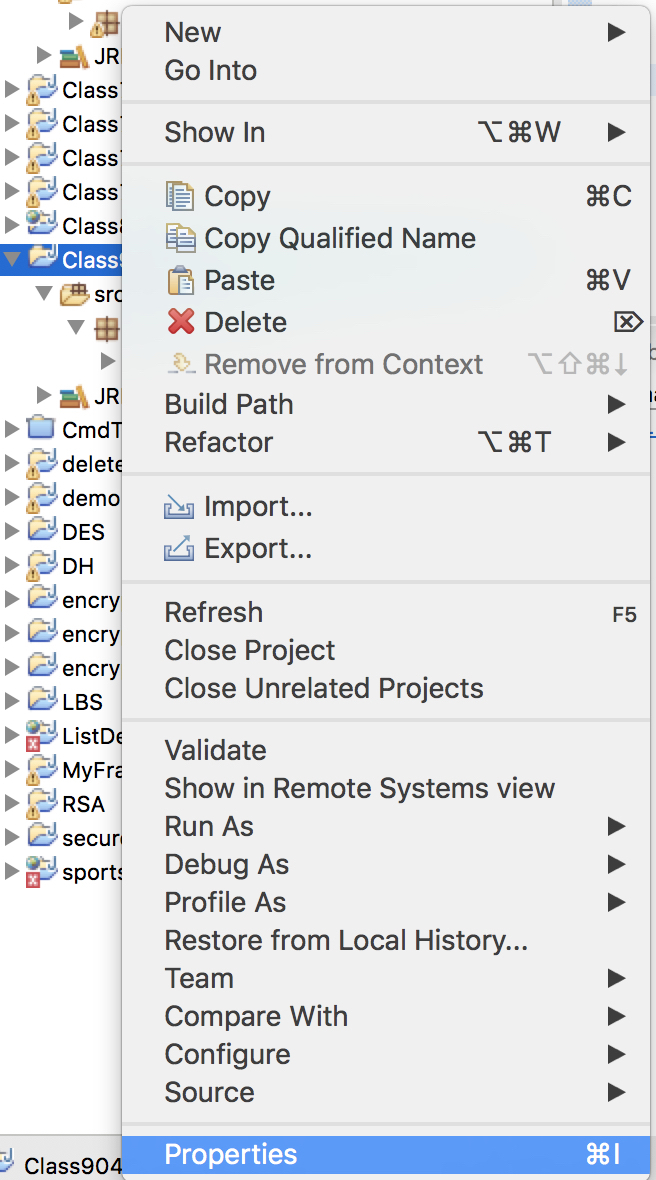
图1
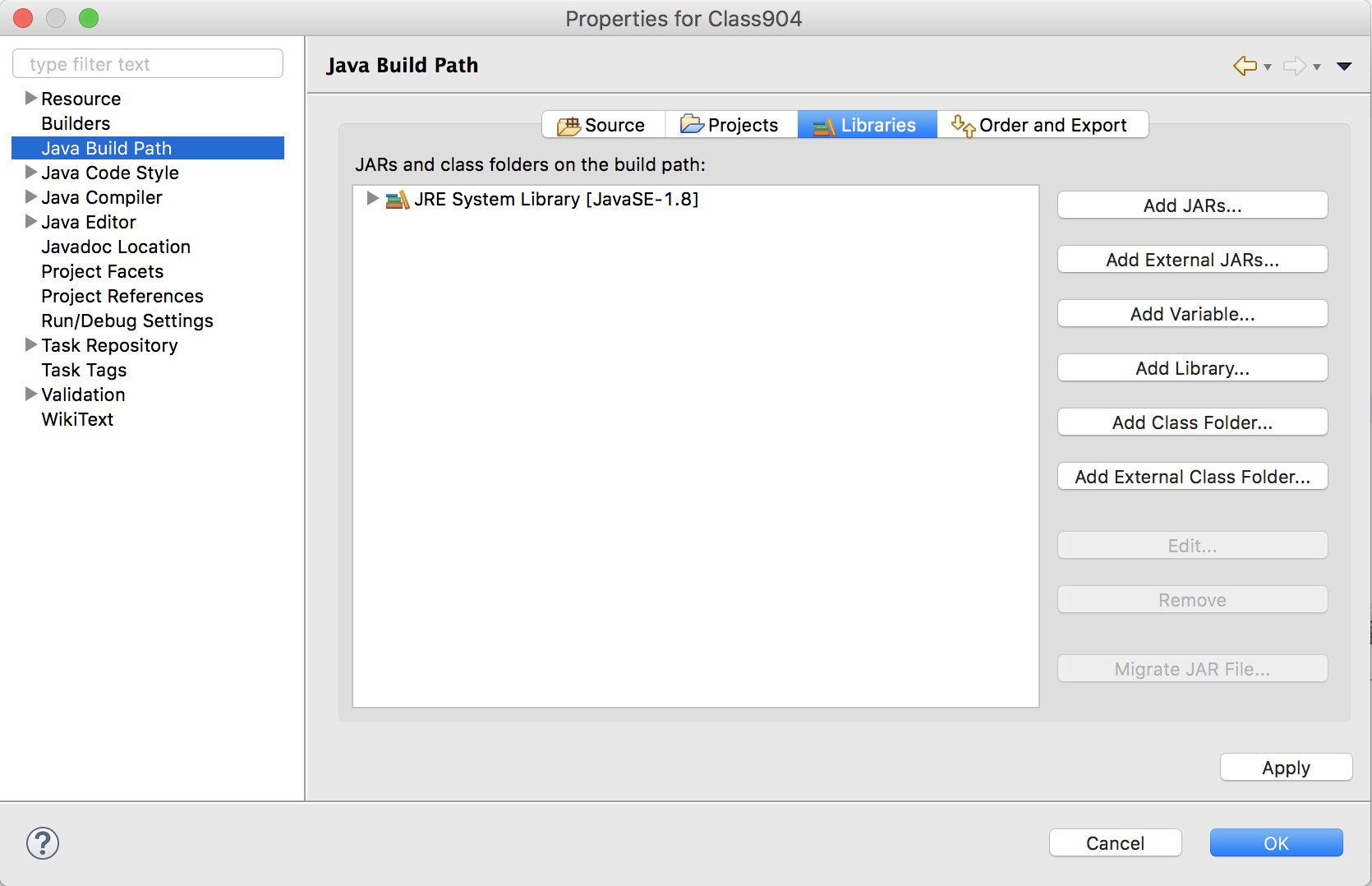
图2:这里要选取Add External JARS
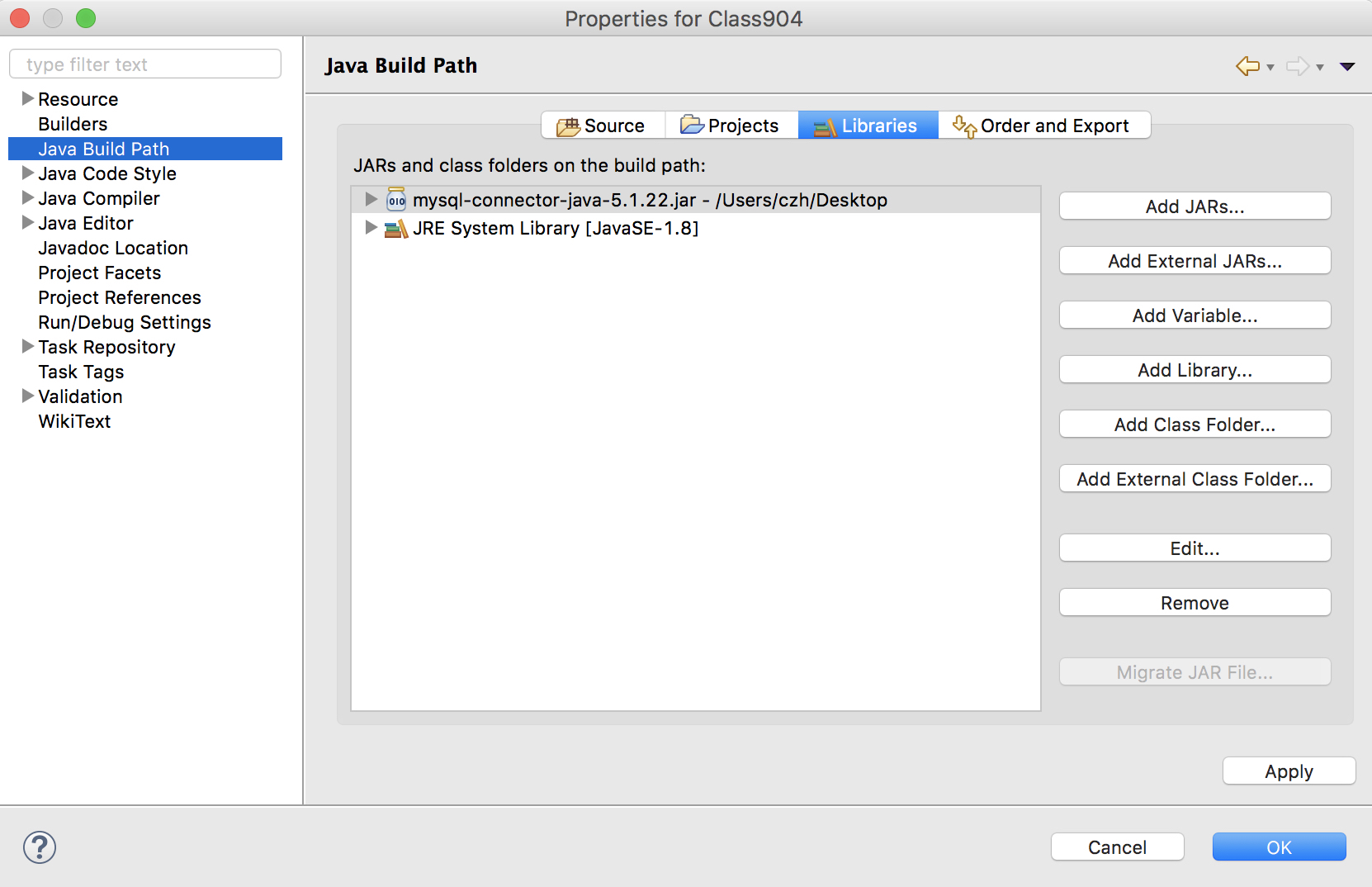
图3
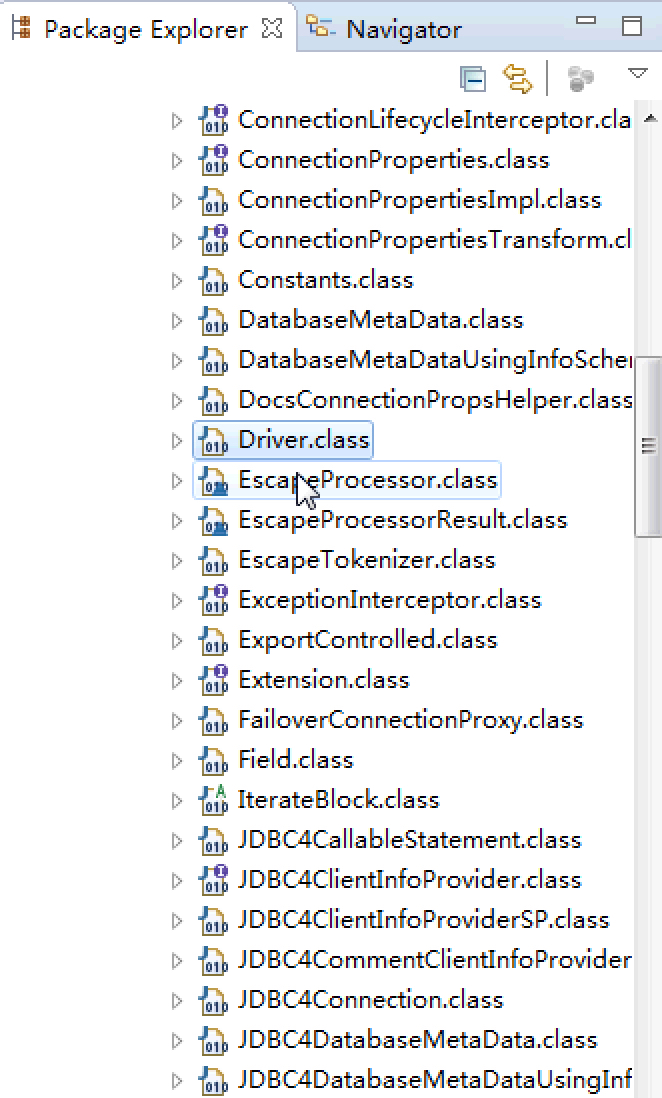
查看架包重要引入的文件Driver.jar