2017年12月27日 下午4:41
Anaconda使用总结 - 简书
环境变量的理解
这篇文章有介绍mac环境变量的配置,我看完之后有了清晰的认识
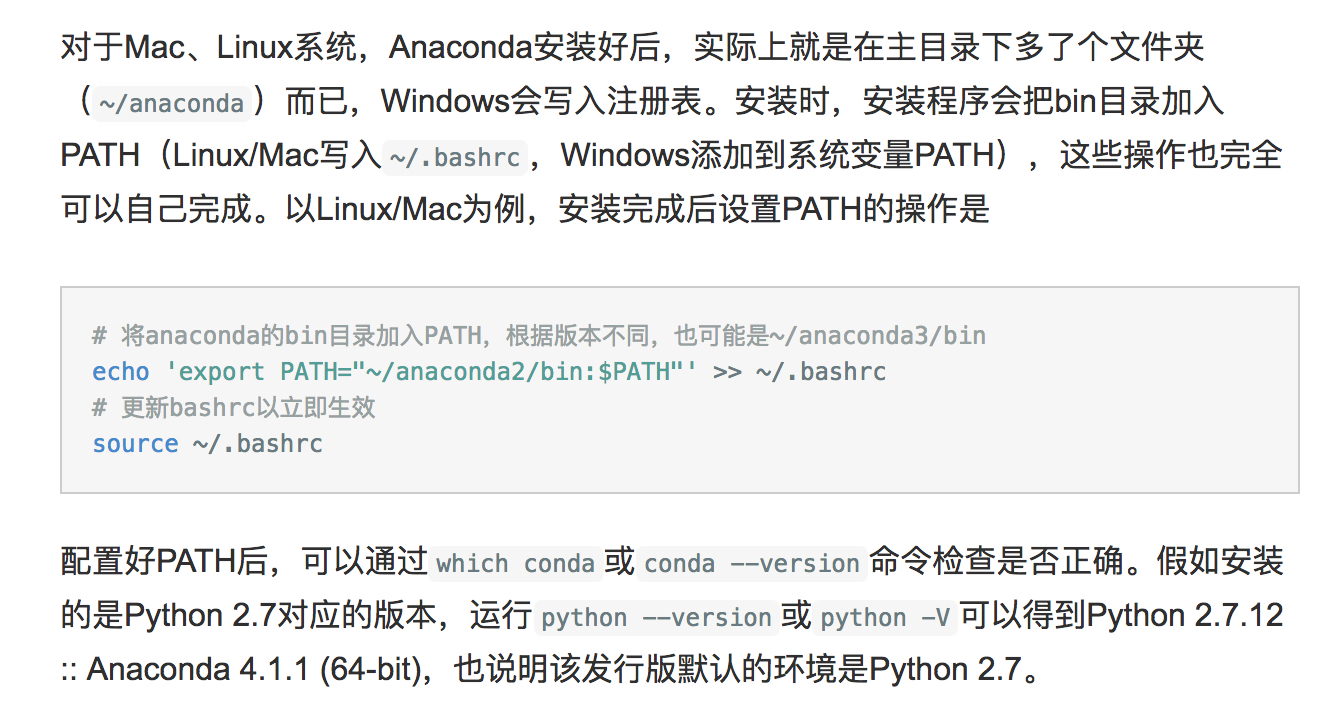
安装过程记录
1
2
3
4
5
6
7
8
9
10
11
12
13
14
15
16
17
18
19
20
21
22
23
24
25
26
27
28
29
30
31
32
33
34
35
36
37
38
39
40
41
42
43
44
45
46
47
48
49
50
51
52
53
54
55
56
57
58
59
| localhost:~ czh$ conda create --name python36 python=3.6
Fetching package metadata ...........
Solving package specifications: .
Package plan for installation in environment /Users/czh/anaconda3/envs/python36:
The following NEW packages will be INSTALLED:
ca-certificates: 2017.08.26-ha1e5d58_0
certifi: 2017.11.5-py36ha569be9_0
libcxx: 4.0.1-h579ed51_0
libcxxabi: 4.0.1-hebd6815_0
libedit: 3.1-hb4e282d_0
libffi: 3.2.1-h475c297_4
ncurses: 6.0-hd04f020_2
openssl: 1.0.2n-hdbc3d79_0
pip: 9.0.1-py36h1555ced_4
python: 3.6.4-hc167b69_0
readline: 7.0-hc1231fa_4
setuptools: 36.5.0-py36h2134326_0
sqlite: 3.20.1-h7e4c145_2
tk: 8.6.7-h35a86e2_3
wheel: 0.30.0-py36h5eb2c71_1
xz: 5.2.3-h0278029_2
zlib: 1.2.11-hf3cbc9b_2
Proceed ([y]/n)? y
ca-certificate 100% |################################| Time: 0:00:02 114.40 kB/s
libcxxabi-4.0. 100% |################################| Time: 0:00:01 137.84 kB/s
tk-8.6.7-h35a8 100% |################################| Time: 0:00:45 72.21 kB/s
xz-5.2.3-h0278 100% |################################| Time: 0:00:03 85.31 kB/s
zlib-1.2.11-hf 100% |################################| Time: 0:00:00 112.91 kB/s
libcxx-4.0.1-h 100% |################################| Time: 0:00:17 54.68 kB/s
openssl-1.0.2n 100% |################################| Time: 0:00:37 94.90 kB/s
libffi-3.2.1-h 100% |################################| Time: 0:00:00 370.24 kB/s
ncurses-6.0-hd 100% |################################| Time: 0:00:05 149.60 kB/s
libedit-3.1-hb 100% |################################| Time: 0:00:01 89.60 kB/s
readline-7.0-h 100% |################################| Time: 0:00:04 91.26 kB/s
sqlite-3.20.1- 100% |################################| Time: 0:00:19 98.78 kB/s
python-3.6.4-h 100% |################################| Time: 0:03:11 83.43 kB/s
certifi-2017.1 100% |################################| Time: 0:00:02 77.56 kB/s
setuptools-36. 100% |################################| Time: 0:00:06 77.94 kB/s
wheel-0.30.0-p 100% |################################| Time: 0:00:01 61.54 kB/s
pip-9.0.1-py36 100% |################################| Time: 0:00:37 60.54 kB/s
#
# To activate this environment, use:
# > source activate python36
#
# To deactivate an active environment, use:
# > source deactivate
#
localhost:~ czh$ source activate python36
(python36) localhost:~ czh$ python --version
Python 3.6.4 :: Anaconda, Inc.
(python36) localhost:~ czh$ conda config --add channels https://mirrors.tuna.tsinghua.edu.cn/anaconda/pkgs/free/
(python36) localhost:~ czh$ conda config --set show_channel_urls yes
(python36) localhost:~ czh$ jupyter notebook
|
jupyter notebook安装
Jupyter Notebook环境搭建(MAC) - 简书
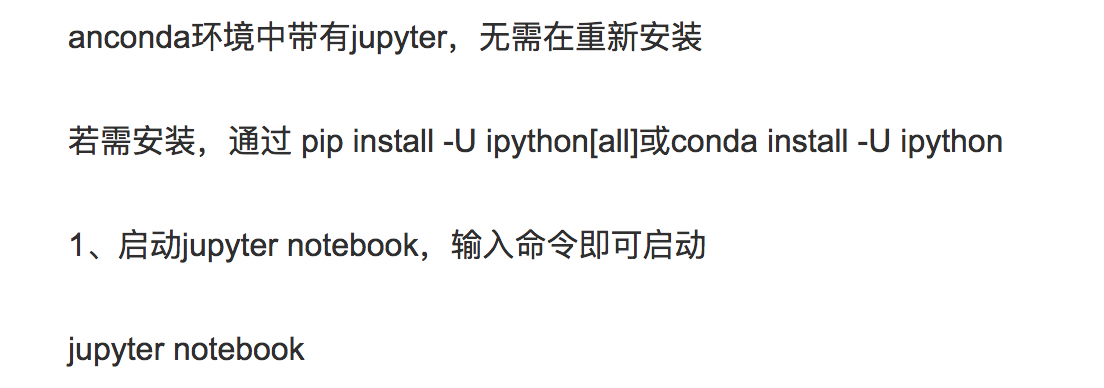
jupyter notebook使用
Python·Jupyter Notebook各种使用方法记录·持续更新 - CSDN博客