0%

centos安装vsftpd

2018年2月20日 上午11:30

vsftpd安装

1
2
3
4
5
6
7
8
9
10
11
12
13
14
15
16
17
18
19
20
21
22
23
24
25
26
27
28
29
30
31
32
33
34
35
36
37
38
39
40
41
42
43
44
45
[czh@centos6 ~]$ sudo yum -y install vsftpd
已加载插件:fastestmirror, refresh-packagekit, security
设置安装进程
Loading mirror speeds from cached hostfile
* base: mirrors.aliyun.com
* extras: mirrors.aliyun.com
* updates: mirrors.aliyun.com
解决依赖关系
--> 执行事务检查
---> Package vsftpd.x86_64 0:2.2.2-24.el6 will be 安装
--> 完成依赖关系计算

依赖关系解决

================================================================================
软件包 架构 版本 仓库 大小
================================================================================
正在安装:
vsftpd x86_64 2.2.2-24.el6 base 156 k

事务概要
================================================================================
Install 1 Package(s)

总下载量:156 k
Installed size: 340 k
下载软件包:
vsftpd-2.2.2-24.el6.x86_64.rpm | 156 kB 00:00
warning: rpmts_HdrFromFdno: Header V3 RSA/SHA1 Signature, key ID c105b9de: NOKEY
Retrieving key from http://mirrors.aliyun.com/centos/RPM-GPG-KEY-CentOS-6
Importing GPG key 0xC105B9DE:
Userid: "CentOS-6 Key (CentOS 6 Official Signing Key) <centos-6-key@centos.org>"
From : http://mirrors.aliyun.com/centos/RPM-GPG-KEY-CentOS-6
运行 rpm_check_debug
执行事务测试
事务测试成功
执行事务
Warning: RPMDB altered outside of yum.
正在安装 : vsftpd-2.2.2-24.el6.x86_64 1/1
Verifying : vsftpd-2.2.2-24.el6.x86_64 1/1

已安装:
vsftpd.x86_64 0:2.2.2-24.el6

完毕!

创建ftp目录

1
2
[czh@centos6 ~]$ cd /
[czh@centos6 /]$ sudo mkdir ftpfile

创建用户

1
2
3
4
5
6
7
8
9
10
11
12
13
14
[czh@centos6 bin]$ cd /
[czh@centos6 /]$ cd ftpfile/
this is ftpfile
[czh@centos6 ftpfile]$ ls
[czh@centos6 ftpfile]$ sudo useradd ftpuser -d /ftpfile/ -s /sbin/nologin
useradd:警告:此主目录已经存在。
不从 skel 目录里向其中复制任何文件。
[czh@centos6 ftpfile]$ sudo chown -R ftpuser.ftpuser /ftpfile/
[czh@centos6 ftpfile]$ ll
总用量 0
[czh@centos6 ftpfile]$ ll | grep ftp
[czh@centos6 ftpfile]$ cd ..
[czh@centos6 /]$ ll | grep ftp
drwxr-xr-x. 2 ftpuser ftpuser 4096 2月 20 12:17 ftpfile

修改密码:

1
2
3
4
5
6
7
[czh@centos6 /]$  sudo passwd ftpuser
更改用户 ftpuser 的密码 。
新的 密码:
无效的密码: 过于简单化/系统化
无效的密码: 过于简单
重新输入新的 密码:
passwd: 所有的身份验证令牌已经成功更新。

创建文件

1
2
[czh@centos6 /]$ cd ftpfile/
[czh@centos6 ftpfile]$ sudo vim index.html

配置vsftd:

1
2
3
[czh@centos6 ftpfile]$ whereis vsftpd
vsftpd: /usr/sbin/vsftpd /etc/vsftpd /usr/share/man/man8/vsftpd.8.gz
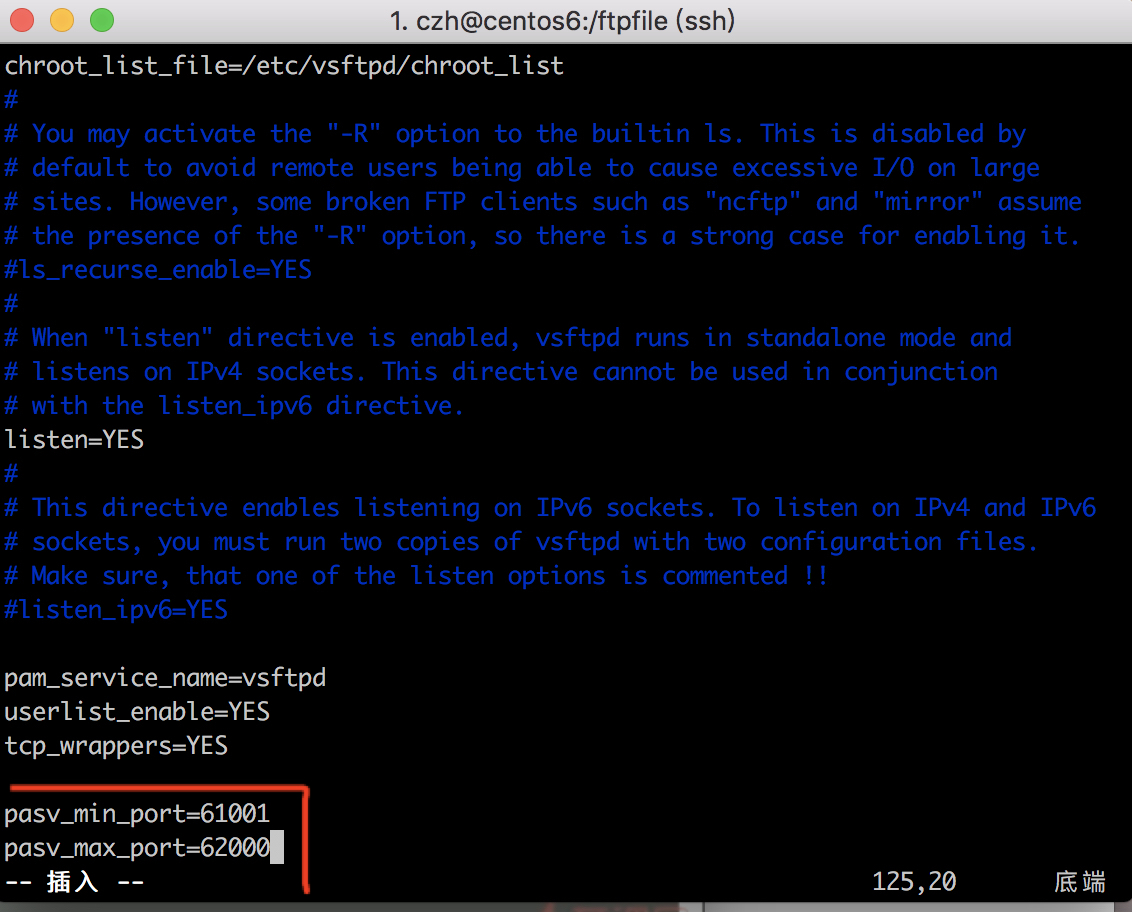
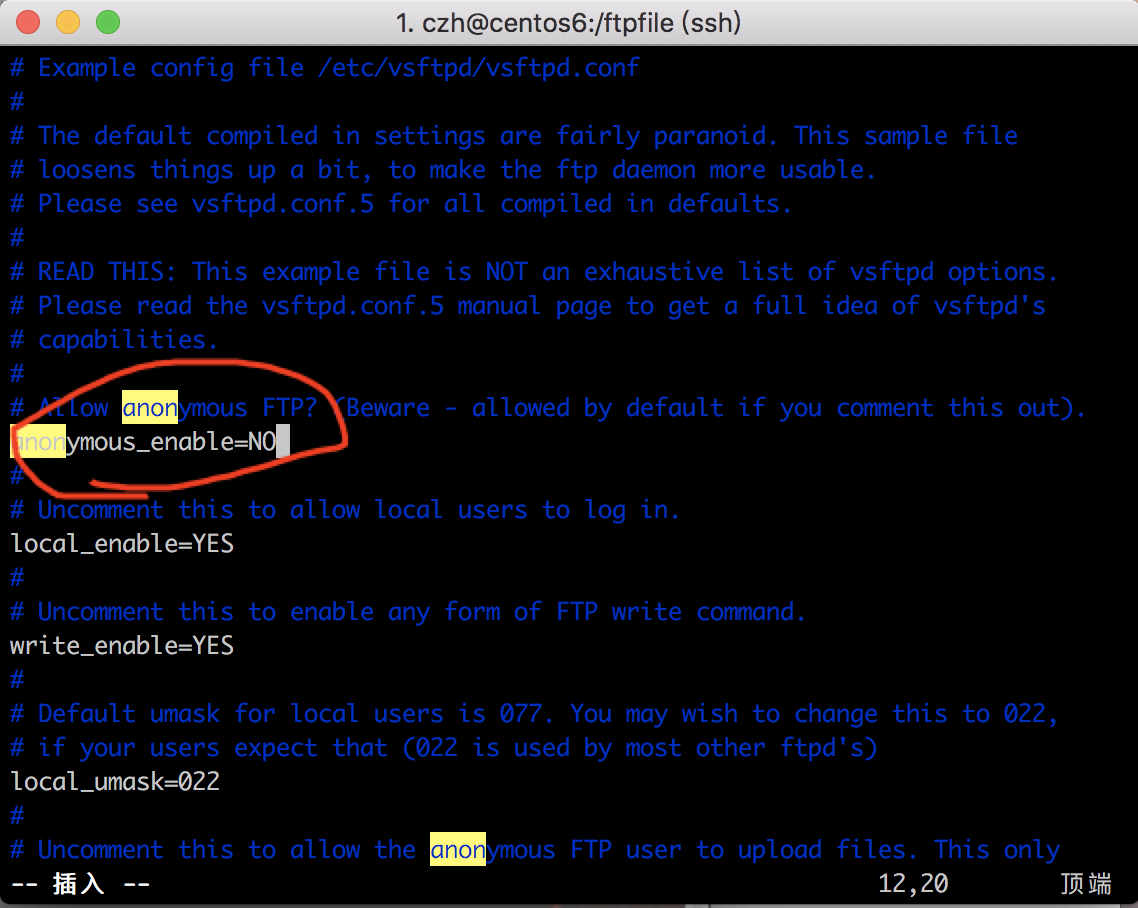
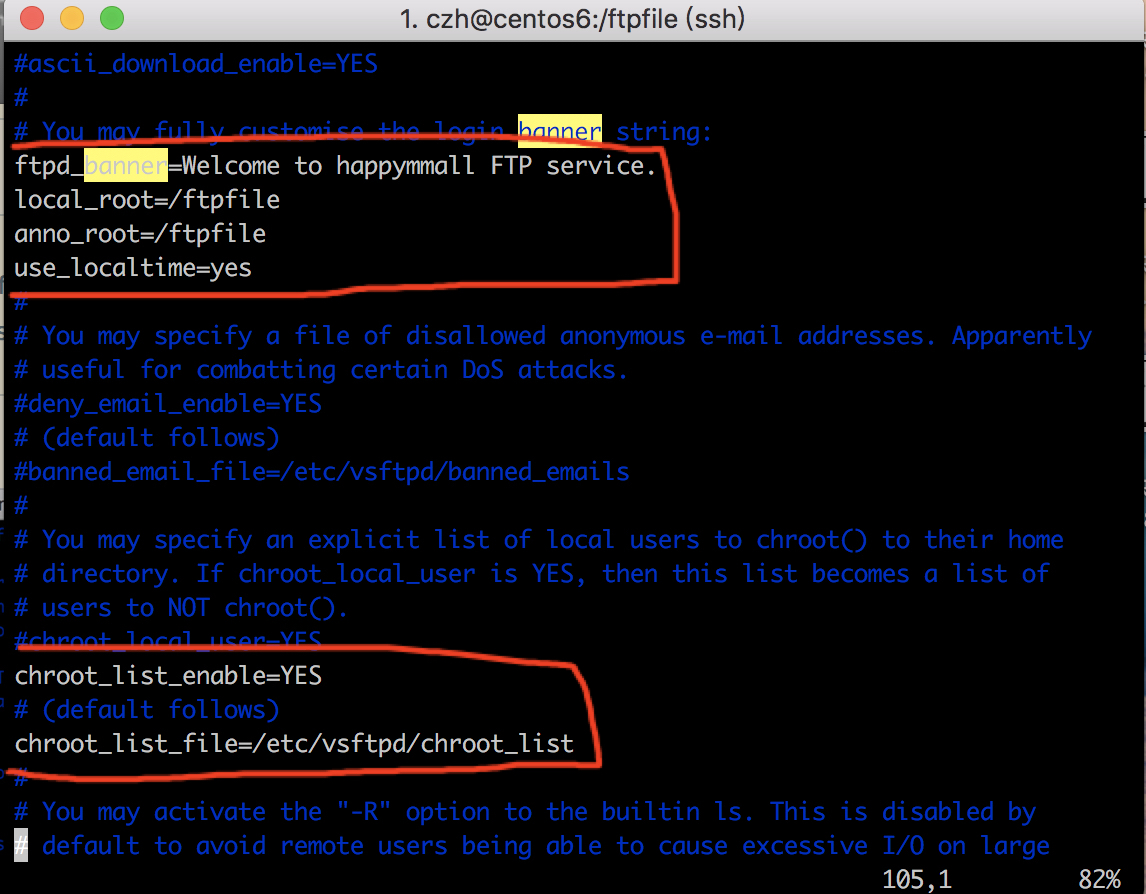
[czh@centos6 ftpfile]$ sudo vim /etc/vsftpd/vsftpd.conf

给vsftpd添加用户ftpuser

1
2
[czh@centos6 ftpfile]$ cd /etc/vsftpd/
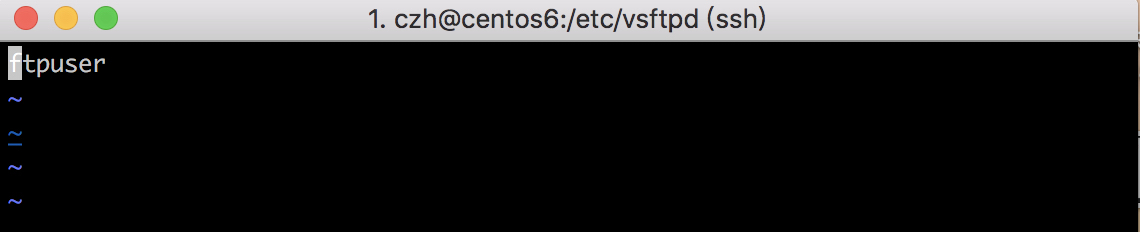
[czh@centos6 vsftpd]$ sudo vim chroot_list

配置好后重启vsftp:

1
2
3
[czh@centos6 vsftpd]$ sudo service vsftpd restart
Shutting down vsftpd: [FAILED]
Starting vsftpd for vsftpd: [ OK ]

配置防火墙:

1
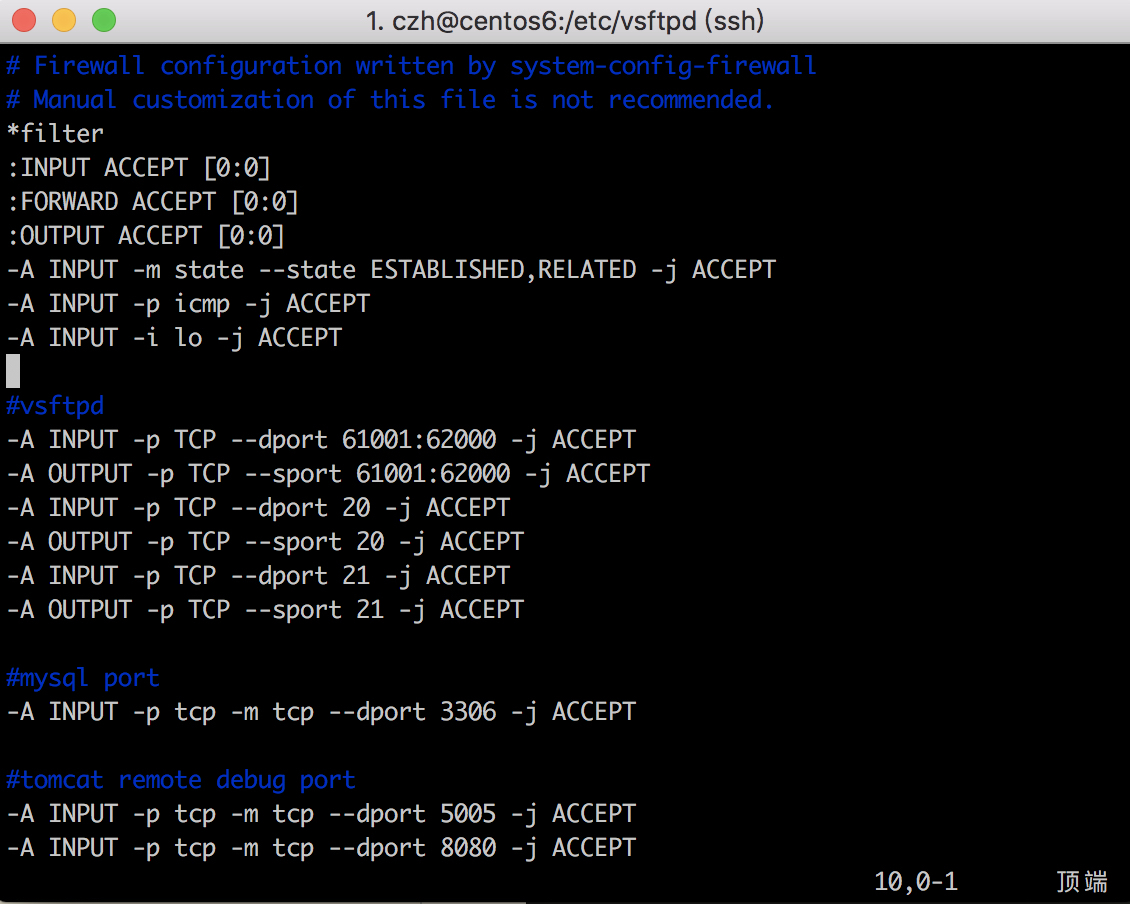
[czh@centos6 vsftpd]$ sudo vim /etc/sysconfig/iptables

1
2
3
4
5
6
7
8
9
10
11
12
13
14
15
16
17
18
19
20
21
22
23
24
25
26
27
28
29
30
31
32
33
34
35
36
37
# Firewall configuration written by system-config-firewall
# Manual customization of this file is not recommended.
*filter
:INPUT ACCEPT [0:0]
:FORWARD ACCEPT [0:0]
:OUTPUT ACCEPT [0:0]
-A INPUT -m state --state ESTABLISHED,RELATED -j ACCEPT
-A INPUT -p icmp -j ACCEPT
-A INPUT -i lo -j ACCEPT

#ssh port
-A INPUT -m state --state NEW -m tcp -p tcp --dport 22 -j ACCEPT

#vsftpd
-A INPUT -p TCP --dport 61001:62000 -j ACCEPT
-A OUTPUT -p TCP --sport 61001:62000 -j ACCEPT

-A INPUT -p TCP --dport 20 -j ACCEPT
-A OUTPUT -p TCP --sport 20 -j ACCEPT
-A INPUT -p TCP --dport 21 -j ACCEPT
-A OUTPUT -p TCP --sport 21 -j ACCEPT


#mysql port
-A INPUT -p tcp -m tcp --dport 3306 -j ACCEPT

#tomcat remote debug port
-A INPUT -p tcp -m tcp --dport 5005 -j ACCEPT

-A INPUT -p tcp -m tcp --dport 8080 -j ACCEPT

#nginx
-A INPUT -p tcp -m tcp --dport 80 -j ACCEPT

-A INPUT -j REJECT --reject-with icmp-host-prohibited
-A FORWARD -j REJECT --reject-with icmp-host-prohibited
COMMIT

重启防火墙:

1
2
3
[czh@centos6 vsftpd]$ sudo service iptables restart
[sudo] password for czh:
iptables: Applying firewall rules: [ OK ]

修改selinux:解决外网是可以访问上去了,可是发现没法返回目录

1
2
3
4
5
6
7
8
9
10
11
12
13
14
15
16
17
18
19
[czh@centos6 ftpfile]$ getsebool -a | grep ftp
allow_ftpd_anon_write --> off
allow_ftpd_full_access --> off
allow_ftpd_use_cifs --> off
allow_ftpd_use_nfs --> off
ftp_home_dir --> off
ftpd_connect_db --> off
ftpd_use_fusefs --> off
ftpd_use_passive_mode --> off
httpd_enable_ftp_server --> off
tftp_anon_write --> off
tftp_use_cifs --> off
tftp_use_nfs --> off
[czh@centos6 ftpfile]$ setsebool -P allow_ftpd_full_access on
Cannot set persistent booleans without managed policy.
[czh@centos6 ftpfile]$ sudo setsebool -P allow_ftpd_full_access on
[sudo] password for czh:
[czh@centos6 ftpfile]$ sudo setsebool -P ftp_home_dir on
[czh@centos6 ftpfile]$

防止匿名账户不能创建更改文件情况:

1
2
3
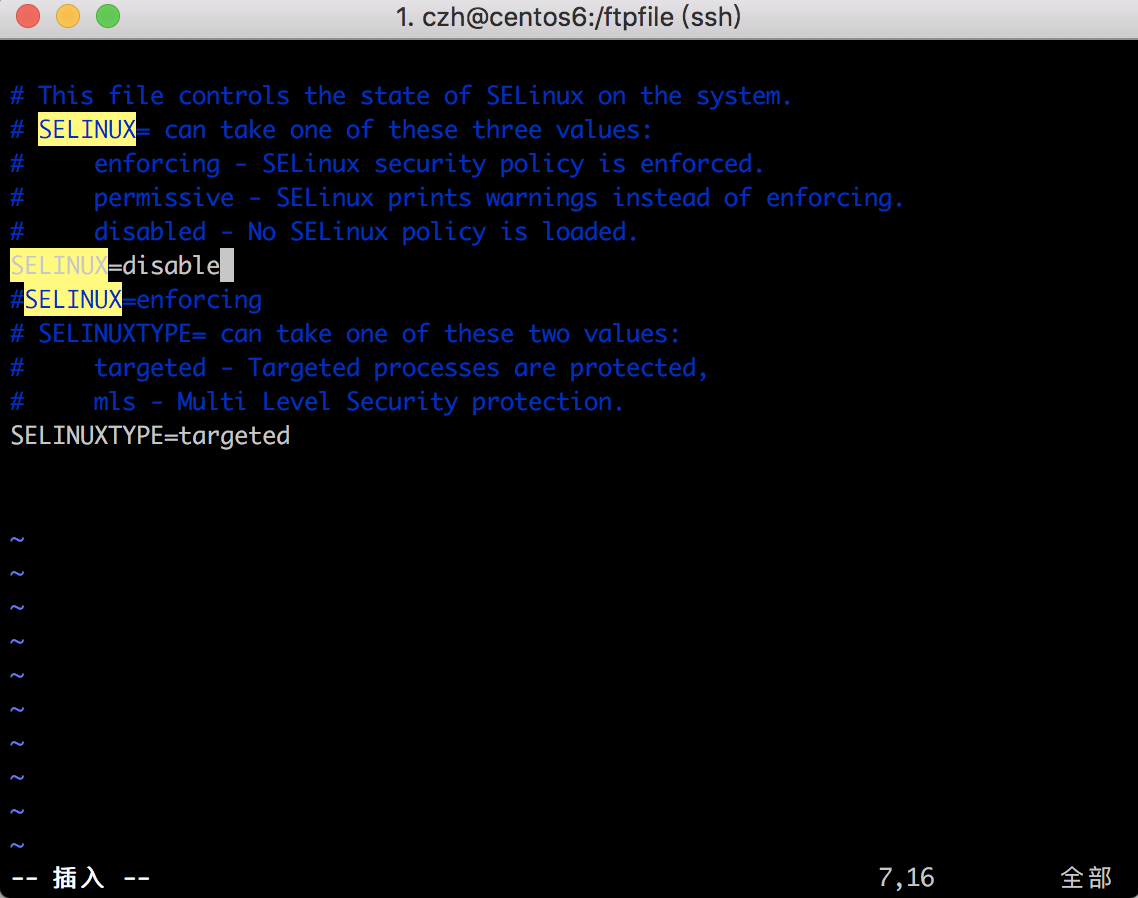
[czh@centos6 ftpfile]$ sudo vim /etc/selinux/config
[czh@centos6 ftpfile]$ sudo setenforce 0
[czh@centos6 ftpfile]$ sudo service vsftpd restart
sudo setenforce 0 用来生效配置

连接方式:

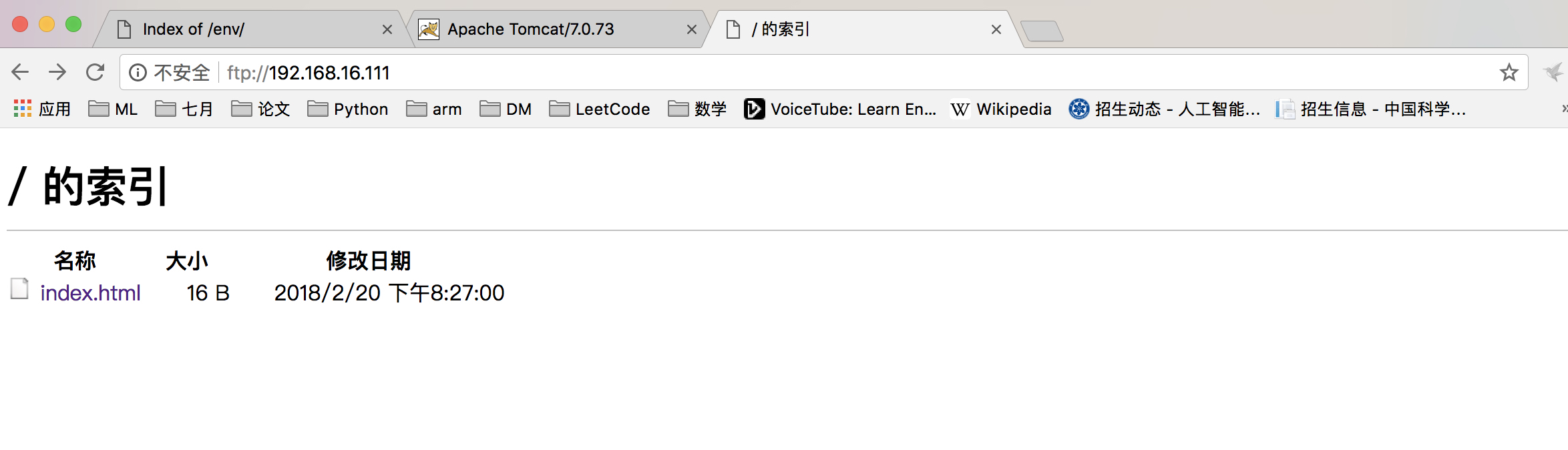
  1. ftp://192.168.0.101/
  2. 要输入账户密码:ftpuesr ,123456