2018年2月20日 上午10:53
centos下载软件
1
2
3
4
5
6
7
[czh@centos6 developer]$ wget http://learning.happymmall.com/tomcat/apache-tomcat-7.0.73.tar.gz --2018-02-20 10:53:07-- http://learning.happymmall.com/tomcat/apache-tomcat-7.0.73.tar.gz 正在解析主机 learning.happymmall.com... 182.92.82.103 正在连接 learning.happymmall.com|182.92.82.103|:80... 已连接。 已发出 HTTP 请求,正在等待回应... 200 OK 长度:8938514 (8.5M) [text/html] 正在保存至: “apache-tomcat-7.0.73.tar.gz”
解压apache
1 [czh@centos6 developer]$ tar -zxvf apache-tomcat-7.0.73.tar.gz
配置启动apache
1
2
3
4
5
6
7
8
9
10
11
12
13
14
15
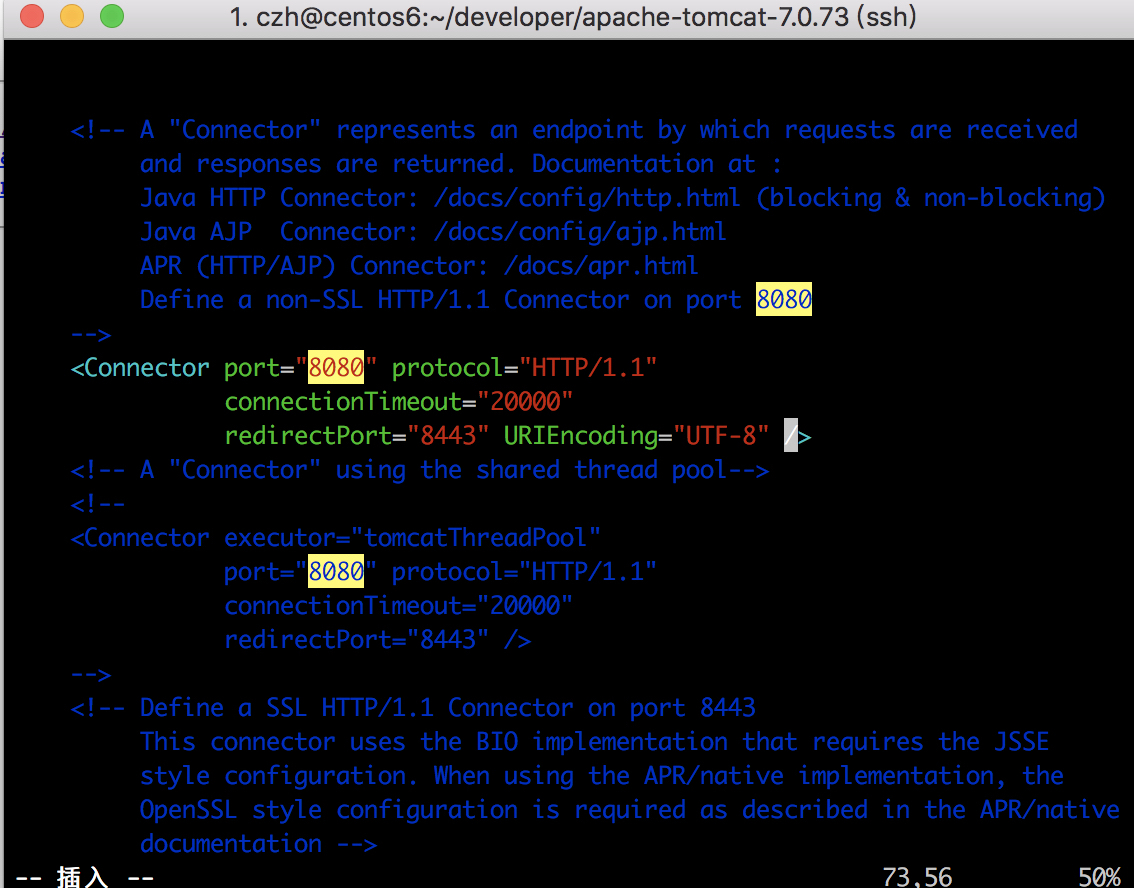
[czh@centos6 developer]$ cd apache-tomcat-7.0.73 [czh@centos6 apache-tomcat-7.0.73]$ ll 总用量 116 drwxr-xr-x. 2 czh czh 4096 2月 20 10:56 bin drwxr-xr-x. 2 czh czh 4096 11月 8 2016 conf drwxr-xr-x. 2 czh czh 4096 2月 20 10:56 lib -rw-r--r--. 1 czh czh 56846 11月 8 2016 LICENSE drwxr-xr-x. 2 czh czh 4096 11月 8 2016 logs -rw-r--r--. 1 czh czh 1239 11月 8 2016 NOTICE -rw-r--r--. 1 czh czh 8965 11月 8 2016 RELEASE-NOTES -rw-r--r--. 1 czh czh 16195 11月 8 2016 RUNNING.txt drwxr-xr-x. 2 czh czh 4096 2月 20 10:56 temp drwxr-xr-x. 7 czh czh 4096 11月 8 2016 webapps drwxr-xr-x. 2 czh czh 4096 11月 8 2016 work [czh@centos6 apache-tomcat-7.0.73]$ vim conf/server.xml
启动apache
1
2
3
4
5
6
7
8
[czh@centos6 ftpfile]$ cd ~/developer/apache-tomcat-7.0.73/bin/ [czh@centos6 bin]$ ./startup.sh Using CATALINA_BASE: /home/czh/developer/apache-tomcat-7.0.73 Using CATALINA_HOME: /home/czh/developer/apache-tomcat-7.0.73 Using CATALINA_TMPDIR: /home/czh/developer/apache-tomcat-7.0.73/temp Using JRE_HOME: /usr/java/jdk1.7.0_80 Using CLASSPATH: /home/czh/developer/apache-tomcat-7.0.73/bin/bootstrap.jar:/home/czh/developer/apache-tomcat-7.0.73/bin/tomcat-juli.jar Tomcat started.
关闭防火墙在主机URL访问centos防火墙开启、关闭、查看状态 - CSDN博客
1
2
3
4
5
6
7
8
9
10
11
12
13
14
15
16
17
18
19
20
21
22
23
24
25
26
27
28
29
30
31
32
33
34
35
[czh@centos6 bin]$ ifconfig eth0 Link encap:Ethernet HWaddr 00:1C:42:2C:1D:A1 inet addr:192.168.16.111 Bcast:192.168.16.255 Mask:255.255.255.0 inet6 addr: fe80::21c:42ff:fe2c:1da1/64 Scope:Link UP BROADCAST RUNNING MULTICAST MTU:1500 Metric:1 RX packets:283454 errors:0 dropped:0 overruns:0 frame:0 TX packets:169731 errors:0 dropped:0 overruns:0 carrier:0 collisions:0 txqueuelen:1000 RX bytes:288476450 (275.1 MiB) TX bytes:12797131 (12.2 MiB) lo Link encap:Local Loopback inet addr:127.0.0.1 Mask:255.0.0.0 inet6 addr: ::1/128 Scope:Host UP LOOPBACK RUNNING MTU:65536 Metric:1 RX packets:2429 errors:0 dropped:0 overruns:0 frame:0 TX packets:2429 errors:0 dropped:0 overruns:0 carrier:0 collisions:0 txqueuelen:0 RX bytes:210544 (205.6 KiB) TX bytes:210544 (205.6 KiB) virbr0 Link encap:Ethernet HWaddr 52:54:00:26:39:37 inet addr:192.168.122.1 Bcast:192.168.122.255 Mask:255.255.255.0 UP BROADCAST RUNNING MULTICAST MTU:1500 Metric:1 RX packets:0 errors:0 dropped:0 overruns:0 frame:0 TX packets:0 errors:0 dropped:0 overruns:0 carrier:0 collisions:0 txqueuelen:0 RX bytes:0 (0.0 b) TX bytes:0 (0.0 b) [czh@centos6 bin]$ service iptables stop iptables: Only usable by root. [WARNING] [czh@centos6 bin]$ sudo service iptables stop [sudo] password for czh: iptables: Setting chains to policy ACCEPT: filter [ OK ] iptables: Flushing firewall rules: [ OK ] iptables: Unloading modules: [ OK ] [czh@centos6 bin]$