0%

centos安装配置git

2018年2月20日 下午9:18

下载git2.8

1
2
3
4
5
6
7
[czh@centos6 developer]$ sudo wget http://learning.happymmall.com/git/git-v2.8.0.tar.gz
--2018-02-20 21:34:58-- http://learning.happymmall.com/git/git-v2.8.0.tar.gz
正在解析主机 learning.happymmall.com... 182.92.82.103
正在连接 learning.happymmall.com|182.92.82.103|:80... 已连接。
已发出 HTTP 请求,正在等待回应... 200 OK
长度:5825295 (5.6M) [text/html]
正在保存至: “git-v2.8.0.tar.gz”

安装依赖:

1
sudo yum -y install zlib-devel openssl-devel cpio expat-devel gettext-devel curl-devel  perl-ExtUtils-CBuilder perl-ExtUtils-MakeMaker

编译git

1
2
[czh@centos6 developer]$ cd git-2.8.0/
[czh@centos6 git-2.8.0]$ sudo make prefix=/user/local all

安装git

1
sudo make prefix=/usr/local install

查看git版本

1
2
[czh@centos6 git-2.8.0]$ git --version
git version 2.8.0

新建一个文件夹gitdownload

1
2
[czh@centos6 git-2.8.0]$  cd ~/developer/
[czh@centos6 developer]$ mkdir gitdownload

生成秘钥:
如何建立linux ssh信任的方法与常见问题_百度知道

1
2
3
4
5
6
7
8
9
10
11
12
13
14
15
16
17
18
19
20
21
22
23
24
25
26
27
28
29
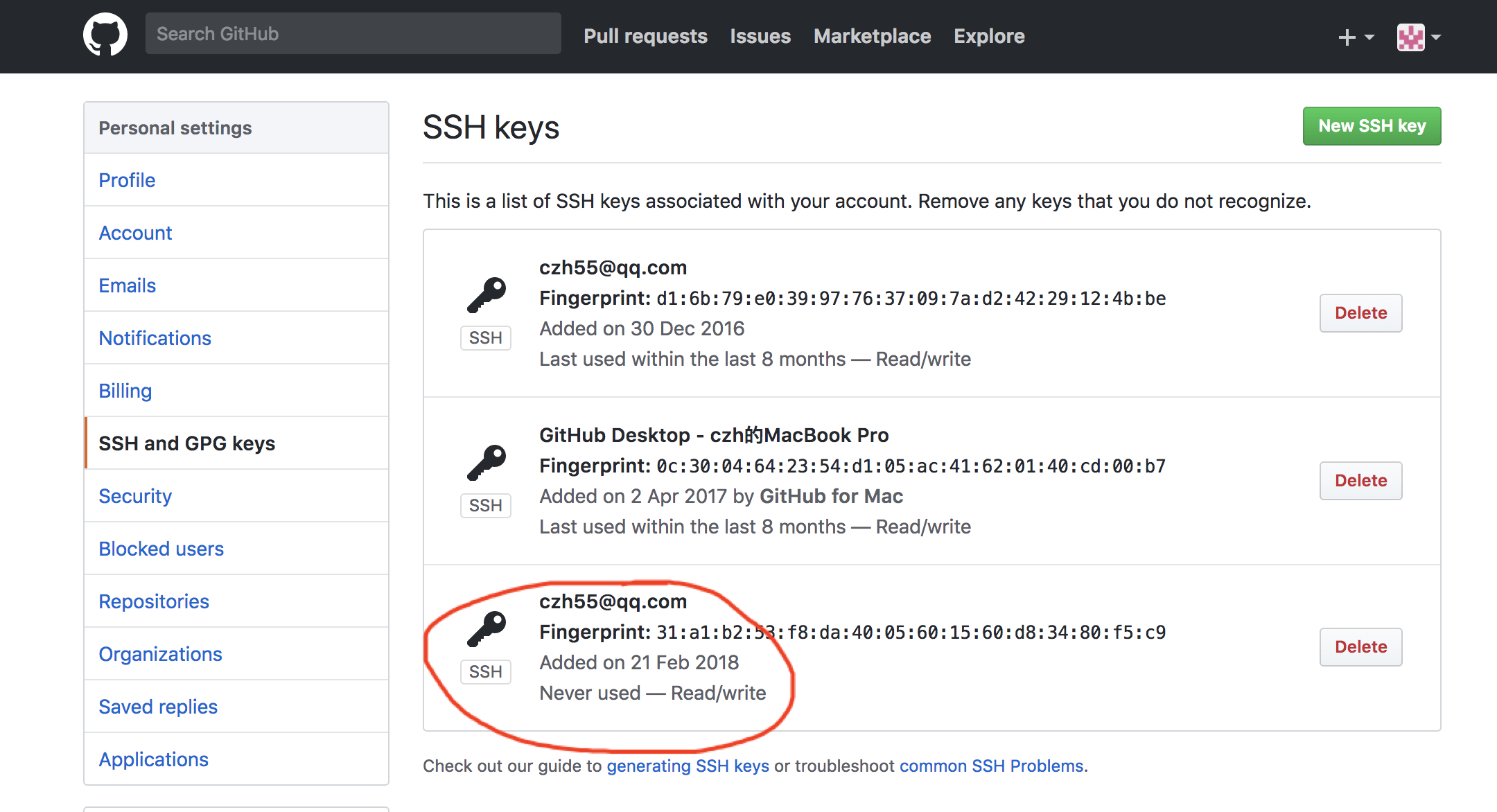
[czh@centos6 .ssh]$ ssh-keygen -t rsa -C "czh55@qq.com"
Generating public/private rsa key pair.
Enter file in which to save the key (/home/czh/.ssh/id_rsa):
Enter passphrase (empty for no passphrase):
Enter same passphrase again:
Your identification has been saved in /home/czh/.ssh/id_rsa.
Your public key has been saved in /home/czh/.ssh/id_rsa.pub.
The key fingerprint is:
31:a1:b2:53:f8:da:40:05:60:15:60:d8:34:80:f5:c9 czh55@qq.com
The key's randomart image is:
+--[ RSA 2048]----+
|o*O++o. . |
|oo.+ + . . |
| E o o |
| . = o |
| + . S |
| = |
| . . |
| |
| |
+-----------------+
[czh@centos6 .ssh]$ ssh-add ~/.ssh/id_rsa
Identity added: /home/czh/.ssh/id_rsa (/home/czh/.ssh/id_rsa)
[czh@centos6 .ssh]$ ll
总用量 8
-rw-------. 1 czh czh 1675 2月 21 00:11 id_rsa
-rw-r--r--. 1 czh czh 394 2月 21 00:11 id_rsa.pub
[czh@centos6 .ssh]$ cat ~/.ssh/id_rsa.pub
ssh-rsa AAAAB3NzaC1yc2EAAAABIwAAAQEAx3IlwhJZNJXM4BeYPmdrdURMAZxd/2k6ePmcJnddS20R4Y13N4dsqkGiK2qaQIJmHv07O5/hiaUztq/HHFj9bhNCxvNVjFZq6k6IWfNYj6eUuSc/5wtdsoGRkVKjxxW/Cxw21SmwM7d8ax7/4QTJTLM2/EcOBtA+v6QZ1++2Khj0slhhxIixxyccxV0NG0SvLo3oKG4alfUU43Pt7+a1BL7jUXdnUzr5GTpF6Z2XgBjn3NkSjQZb5EYcI14UzwldR7H6JBIqQySG1VAEIitasJFLEMRKVyhnyOdR+p6jkX7WNYerP/BB9OtqUg7OSFlkk7OXM1D49i+83pr00YDiFQ== czh55@qq.com
编码配置:

1
2
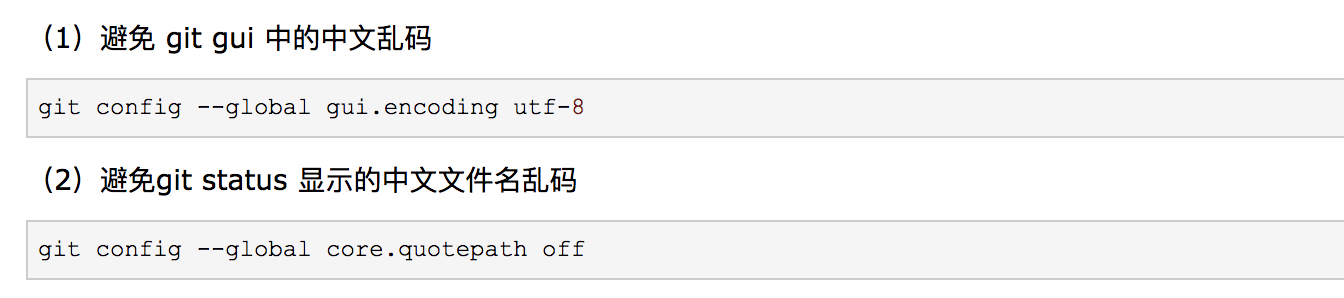
[czh@centos6 gitdownload]$ git config --global gui.encoding utf-8
[czh@centos6 gitdownload]$ git config --global core.quotepath off

克隆:

1
2
3
4
5
6
7
8
9
10
11
12
13
14
15
16
[czh@centos6 developer]$ cd gitdownload/
[czh@centos6 gitdownload]$ git clone git@github.com:czh55/imooc.git
正克隆到 'imooc'...
The authenticity of host 'github.com (192.30.255.112)' can't be established.
RSA key fingerprint is 16:27:ac:a5:76:28:2d:36:63:1b:56:4d:eb:df:a6:48.
Are you sure you want to continue connecting (yes/no)? yea
Please type 'yes' or 'no': yes
Warning: Permanently added 'github.com,192.30.255.112' (RSA) to the list of known hosts.
remote: Counting objects: 3, done.
remote: Total 3 (delta 0), reused 0 (delta 0), pack-reused 0
接收对象中: 100% (3/3), 完成.
检查连接... 完成。
[czh@centos6 gitdownload]$ ll
总用量 4
drwxrwxr-x. 3 czh czh 4096 2月 21 00:17 imooc
[czh@centos6 gitdownload]$